











Plan a Consultation
Someone considering treatment can bring a familiar smile photo and explore a few orthodontic looks before speaking with a professional. The result gives the conversation a visual starting point.
Try Cavro freePreview metal, ceramic, or clear braces on your own photo before an orthodontic decision. It is also a playful way for creators, children, and families to explore a new smile look.












Someone considering treatment can bring a familiar smile photo and explore a few orthodontic looks before speaking with a professional. The result gives the conversation a visual starting point.
Try Cavro free

Creators can turn a portrait into a braces transformation for a Reel, Story, or before-and-after concept. The photo-based edit makes the idea feel personal rather than generic.
Try Cavro free

Children and families can explore a possible braces look together using a familiar face and a friendly visual reference. That preview can make an upcoming change feel easier to discuss.
Try Cavro free
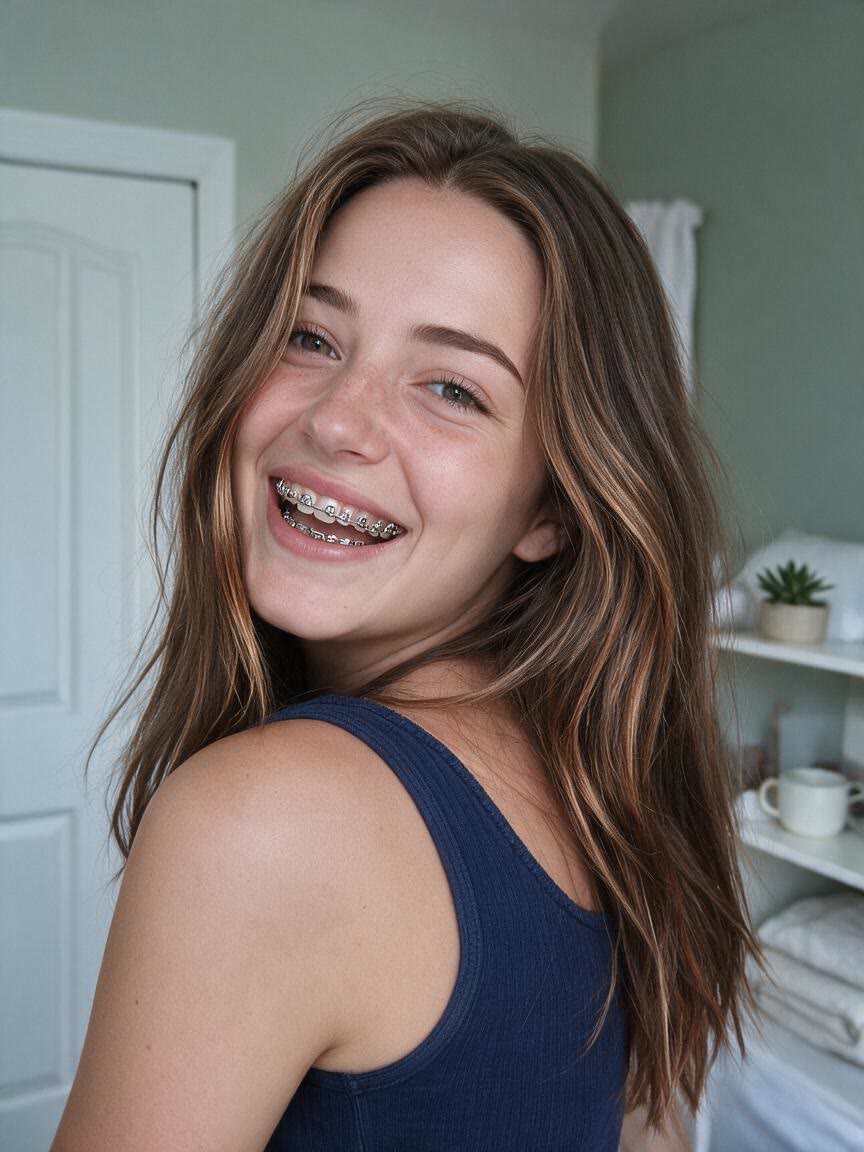
When a generic example is not enough, use your own photo as the reference. Cavro builds the requested braces look around that image so the preview feels relevant to the person considering treatment.
Try Cavro free

When you are weighing metal, ceramic, and clear braces, explore each direction in the same conversation. You can refine and generate again without starting over or rebuilding the idea.
Try Cavro free

When a braces preview becomes a video or another image, both come from the same conversation and credit balance. That keeps orthodontic planning and playful content within one Cavro experience.
Try Cavro freeAn AI braces filter creates a braces preview from a written request and your photo. You can explore a metal, ceramic, or clear braces look without replacing the rest of the visual idea.
Yes. Upload a photo and describe the braces style you want to preview. Cavro carries the photo and your words into the same conversation so you do not have to type them twice.
You can request different braces styles and refine the result in the same conversation. This lets you explore several visual directions without starting over.
No. It is a visual preview, not a diagnosis or treatment recommendation. Discuss orthodontic choices with a qualified dental professional before making a decision.
Creators worldwide are turning “just an idea” into expensive-looking images.